A new Windows 11 Insider Preview Build 22499 has been released to Dev Channel on Nov 10, 2021. I missed previously two builds with Dev Channel due to migrated Win11 to the Beta Channel on my production environment laptop,😂 but still I’m testing the Builds from Dev Channel just with another device. Let’s see what’s new with this Build 22499. 🐱👤
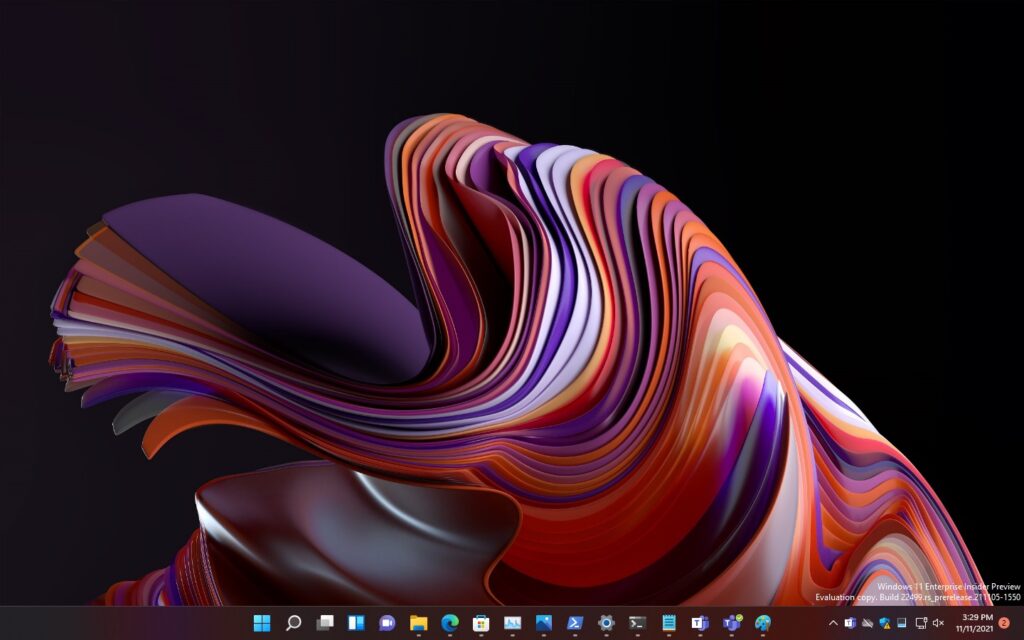
Sharing app window directly from Taskbar with Microsoft Teams
Microsoft announcing a new experience with the ability to quickly share the content from opened app window directly from your Taskbar to your meeting calls. With this experience, you can quickly share any opened program window to attendees during a Teams call reduced the interruptions.
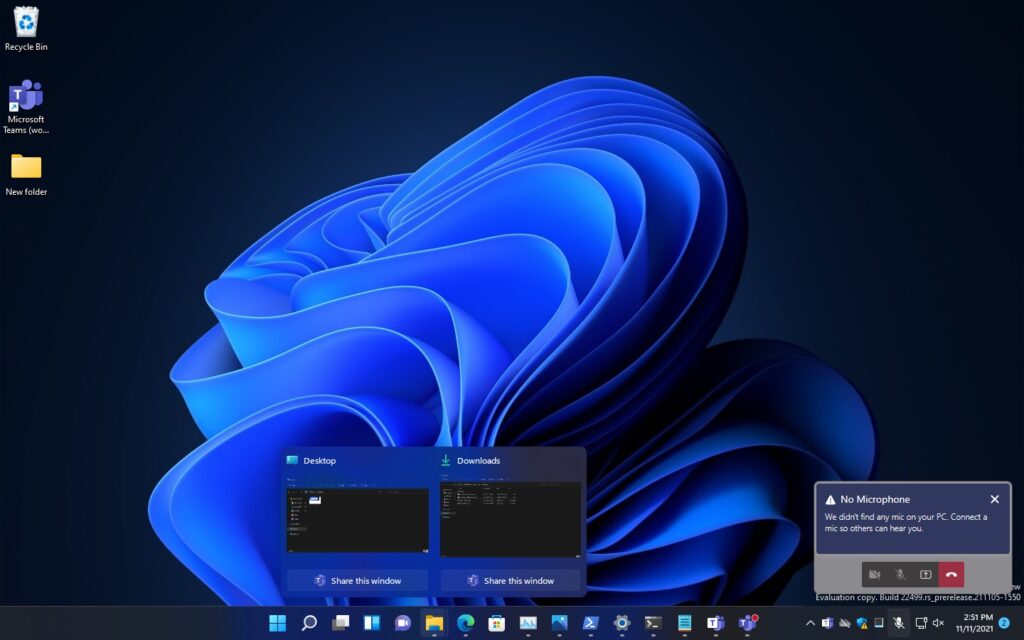
Whenever you joined a meeting with Microsoft Teams, says you have an updated version of presentation would like to share with attendees to discuss, simply just hover over the cursor to the PowerPoint app window on the Taskbar then click “Share this window” to bring to the meeting session. When you completed the sharing just hover to the window again then click “Stop sharing” to end the sharing with the presentation easily.
Note, as per Microsoft announcement this experience so far only roll out to a subset of Windows Insider with Microsoft Teams (not the Home version). And other communications applications can also add this capability to their applications. The capability to share your meeting call applies only to your current meeting call.
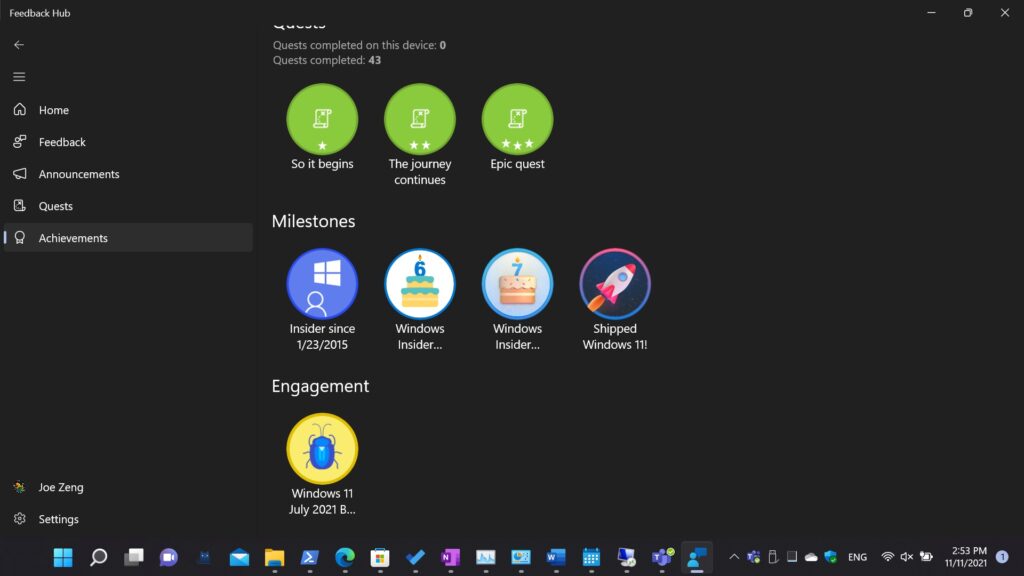
A new “Shipped Windows 11” badges roll out to the Insiders in Feedback Hub app.
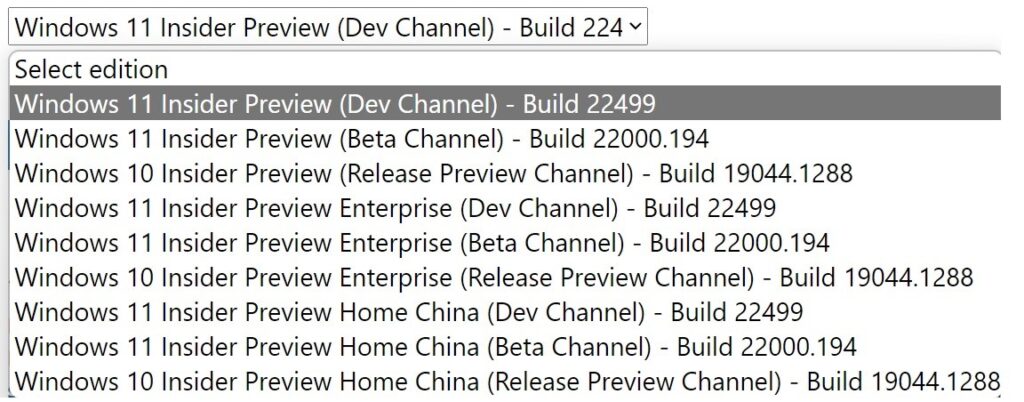
The Windows 11 Insider Preview Build ISO file has been updated to Build 22499
You may download it from below official site if you need to conduct a clean installation or an In-place upgrade. Download Windows 10 Insider Preview ISO (microsoft.com)
Changes and Improvements
- Based on feedback, making keyboard focus visuals in Task View and Alt + Tab a little more prominent, so they’re easier to see.
Fixes
[Input]
- Clipboard history should be back up and running properly once you’re on this build.
- Clicking gifs in the emoji panel will now actually insert them into supporting apps, unlike in the previous build.
- Updated the backend dictionaries for several languages – the touch keyboard’s text suggestions and autocorrect should be more accurate now.
- If you change your accent color the accents in the emoji panel should follow suit now, instead of getting stuck with the old color.
- Fixed an IME crash that was happening sometimes for people who had chosen to use the previous version of the Pinyin IME.
- Mitigated an explorer.exe crash that was happening sometimes recently related to touch keyboard usage.
[Windowing]
- Made another fix to address an issue where explorer.exe would crash if you pressed ALT + F4 while ALT + Tab was open.
[Settings]
- Fixed a Settings crash that could happen when trying to check remote sound properties while accessing a PC over Remote Desktop..
[Other]
- Fixed an issue that was causing some clipping / unexpected zoom when going through OOBE on some ultrawide monitors.
- The apostrophe in the error message when your fingerprint isn’t recognized on the login screen should display correctly now.
- When taking a screenshot of a UWP app by pressing the New button in Snipping Tool, Snipping Tool should come into the foreground once the snip is done.
- Fixed an issue that was causing some Insider PCs to bugcheck when coming out of sleep recently, with an error message saying “SYSTEM_THREAD_EXCEPTION_NOT_HANDLED”.
- Fixed a deadlock that could happen related to MediaPlaybackCommandManager, resulting in certain apps not being able to play media sometimes.
- Addressed an issue that was causing reports in Reliability Monitor to unexpectedly be blank with just an empty rectangle when going to see more info.
- Did some work to help address an issue resulting in certain games having some lag that was only noticeable when the window was in focus. As a reminder if needed, please refer to the following documentation for filing actionable game perf feedback.
Known issues
[General]
- Users updating from Builds 22000.xxx, or earlier, to newer Dev Channel builds using the latest Dev Channel ISO, may receive the following warning message: The build you are trying to install is Flight Signed. To continue installing, enable flight signing. If you receive this message, press the Enable button, reboot the PC, and retry the update.
- Investigating an issue where some PCs are unable to install new builds, or other updates. The PC may report an error code 0x80070002. If you are experiencing this issue, please reboot your PC and try again.
- Some PCs may rollback with error code 0xc1900101-0x4001c when installing this build. If you hit this, after the PC rolls back to the previous build, you may want to pause updates until we release a fix.
[Start]
- In some cases, you might be unable to enter text when using Search from Start or the Taskbar. If you experience the issue, press WIN + R on the keyboard to launch the Run dialog box, then close it.
[Taskbar]
- The Taskbar will sometimes flicker when switching input methods.
- Investigating an issue in this build where the clock in the Taskbar can get stuck and not updated, particularly when accessing the PC via Remote Desktop.
[Windowing]
- Hovering your mouse back and forth between different desktops in Task View will result in the displayed thumbnails and content area unexpectedly shrinking.
[Input]
- Working on a fix to address reports from some Insiders that the lights on their keyboards, for example for caps lock, are not working properly after upgrading to the previous build.
[Search]
- After clicking the Search icon on the Taskbar, the Search panel may not open. If this occurs, restart the “Windows Explorer” process, and open the search panel again.
[Quick Settings]
- Investigating reports from Insiders that the volume and brightness sliders aren’t displaying properly in Quick Settings.